 COME
COMEDescribe a COME help issue without exposing credentials
A useful COME help question describes the action, screen and message. Passwords, one-time codes and payment PINs are not required to explain what happened.
Choose the closest topic
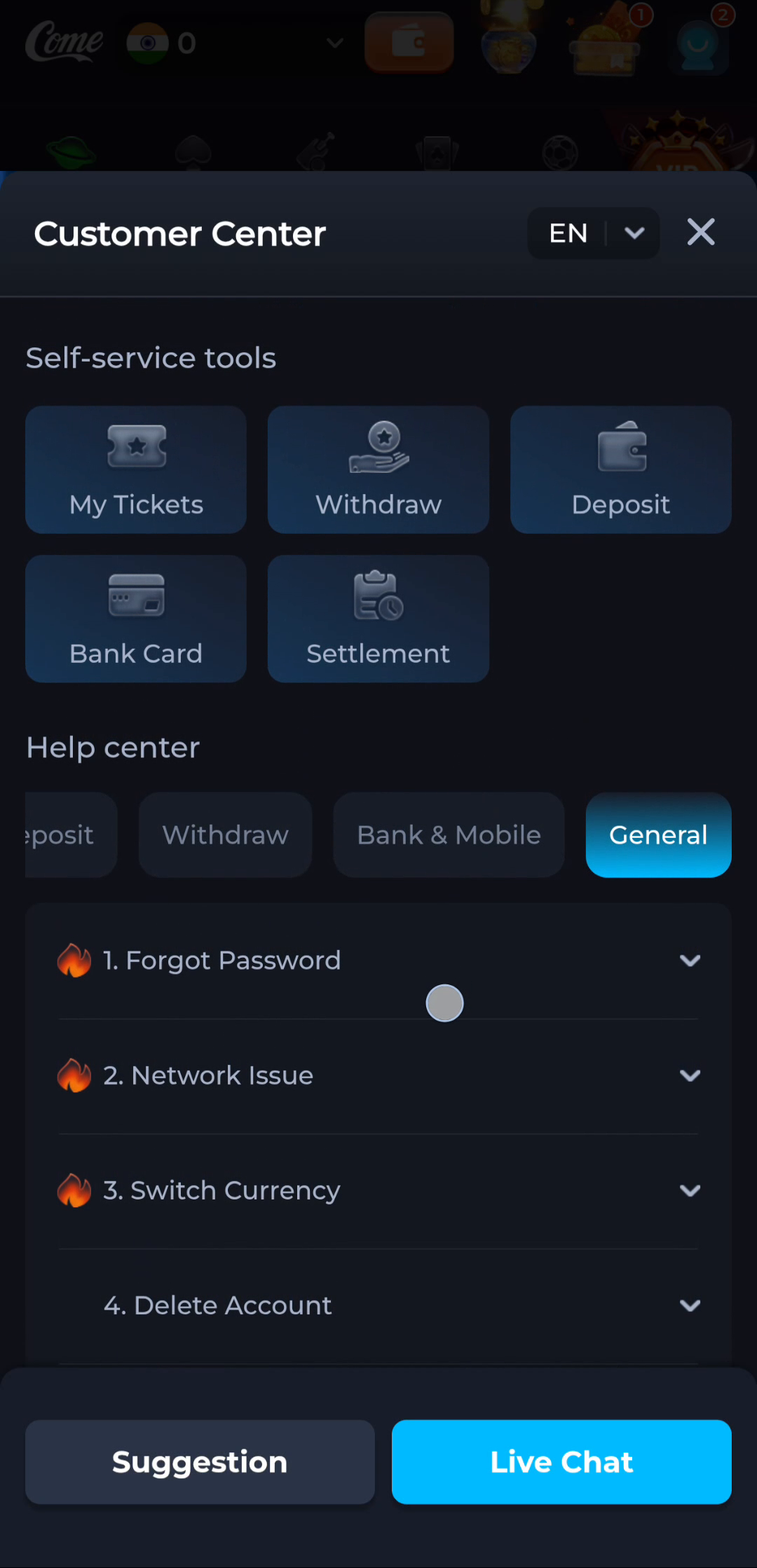
General help lists questions including Forgot Password, Network Issue, Switch Currency and Delete Account. Begin with the subject that actually matches the issue. The existence of a destructive account topic is not a reason to use it for a loading problem.
Keep the evidence limited to the issue
Write the approximate time, last action, app or browser context and exact error. If you choose to provide a screenshot through recognised support, conceal unrelated balances, identifiers and private details. Do not post recovery codes on a public reading site.
Before moving to another task
Keep the current screen and the action you just took in mind. A menu label helps you locate information, but account changes, download completion and support decisions each need their own result. If the interface differs, match the actual label and context rather than following a memorised screen position. For a personal service question, stay with the recognised in-app help route and keep private access details out of public posts.
A practical example
For a blank screen after opening, describe the opening step and whether connectivity works elsewhere. Sending a password would not explain the rendering symptom and creates a separate exposure.
What a completed answer looks like
The question contains enough context to understand the symptom while keeping account secrets and unrelated personal information out.
Choose another specific COME guide